We remain fully operational. Our teams are working around the clock to ensure your deliveries continue safely.

DOWNLOAD THE APP


Copyright © 2025 Desertcart Holdings Limited
DOWNLOAD THE APP
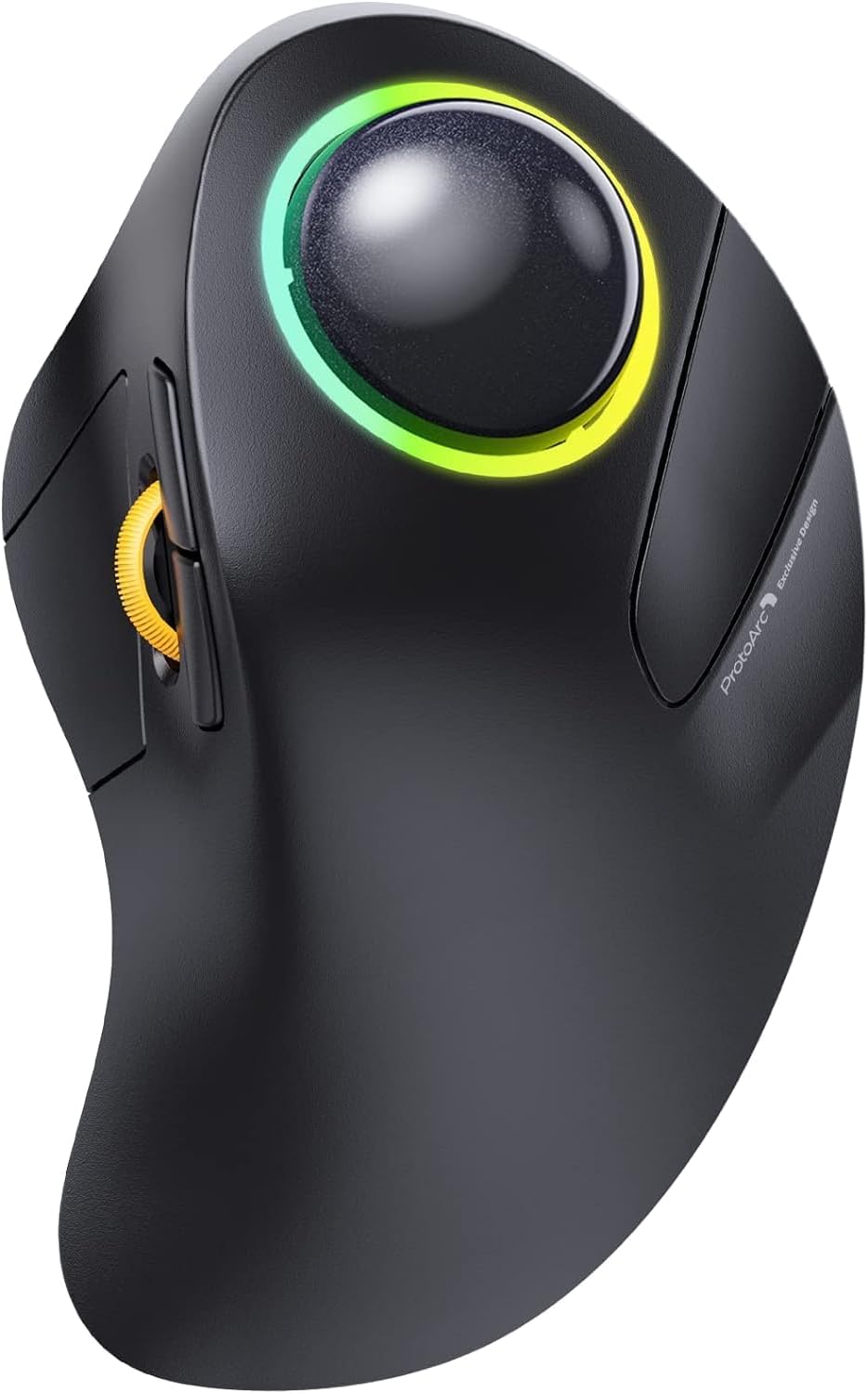



🖱️ Elevate your workflow with the ProtoArc: where ergonomic innovation meets wireless freedom.
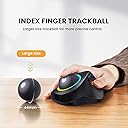
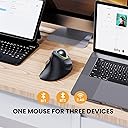
The ProtoArc Wireless Trackball Mouse EM03 features a 44mm ergonomic index finger trackball designed for large hands, reducing wrist fatigue by enabling cursor control without arm movement. It supports triple wireless connectivity (Bluetooth & 2.4G) for seamless switching between up to three devices including Windows, Mac, Android, and iPad. With a rechargeable 930mAh battery lasting up to one month per charge (lights off), adjustable 5-level DPI for precision, and customizable RGB lighting modes, it combines comfort, style, and productivity in a compact, quiet-click design ideal for professionals working in tight or cluttered spaces.


| ASIN | B0DJDNVM1L |
| Antenna Location | Gaming |
| Are Batteries Included? | Yes |
| Are Batteries Required | Yes |
| Battery Average Life | 1 months |
| Best Sellers Rank | 47,232 in Computers & Accessories ( See Top 100 in Computers & Accessories ) 995 in Mice |
| Brand Name | ProtoArc |
| Button Quantity | 4 |
| Colour | Slate Ball |
| Compatible Devices | Laptop, Desktop, Personal Computer, Tablet, Smartphone |
| Customer Reviews | 4.4 4.4 out of 5 stars (633) |
| Embellishment Feature | LED |
| Enclosure Material | Plastic |
| Item Dimensions L x W | 12L x 7.6W centimetres |
| Item Type Name | Mouse |
| Item Weight | 100 Grams |
| Manufacturer | ProtoArc |
| Model Name | EM03 |
| Model Number | EM03 Black US+ |
| Mouse Maximum Sensitivity | 1600 Dots per Inch |
| Movement Detection | Trackball |
| Network Connectivity Technology | Bluetooth |
| Number of Batteries | 1 Lithium Ion batteries required. (included) |
| Operating System | Android, Mac OS X 10.0 Cheetah, Windows |
| Power Source | Battery Powered |
| Product Features | Ergonomic Design, LED Lights, Rechargeable, Soundless, Wireless |
| Product Finish Type | Matte |
| Range | 10 meters |
| Style Name | Ergonomic |
| Theme | Ergonomic Office |
| Unit Count | 1.0 count |
N**H
Great at what it does.
I'm not going to pull the punch here; if you have not used this type of pointing device before it can take a lot of time to get used to it - especially if you normally use a mouse or track pad. Once familiar with such a device they are really good to use. This 'trackball' style mouse is actually very comfortable and easy to use. One of my laptops is used when sitting in a comfortable but somewhat constraining armchair. Using a mouse or even the track pad can be uncomfortable in this situation. The trackball is set off to the side like a mouse but fixed in place a bit closer. I have used many pointing devices including variations on the trak or tracker ball. This device is convenient, comfortable and easy to maintain. The device being wireless was initially concerning to me but I have used it for basic gaming, web surfing, 3D modelling and office work. The variable polling rates are great, the device recharges fairly fast and the charge lasts well. The RGB lights are not needed but nice and the ability to switch between controlled devices could be really useful.
O**E
Good Value High Quality Trackball.
I bought this to replace a Kensington Expert Mouse that I thought was going to be an upgrade for me but was the opposite and was returned because of very poor quality making it abysmal value. This is superior in every way, smooth track ball and scrolling operations, wireless with three connection methods and a big bonus it's half the price of the Kensington. It has a colour changing LED light around the ball but this can be disabled if it's not your thing. Controls are a bit different from what I have been used to so a bit of a learning curve but after a week or so it is now second nature. I originally used Kensington orbits that tended to last about two years before the micro switches failed. It's to early to tell about the reliability of this one yet if it breaks early I will return and edit this review.
J**N
Pleasure to use with useful functionality
Update - I now have two of these. Having had wrist/thumb issues over the long term using other mice, thumb trackballs, even the vertical mice, this has proved a comfortable long term solution for me and is also ideal where desk space is limited. ORIGINAL: I have had this trackball for a couple of weeks now. Initially I wasn't sure how well it positioned my wrist but can now confidently say I have experienced no wrist pain. The trackball is an absolute pleasure to use, the ball is very smooth and the buttons work well. All I would say is give it at least a couple of days before passing judgement. The two bluetooth pairings plus a USB dongle are very welcome, the bluetooth provides a battery level indication on my chromebook so I know when to give it a charge in good time - the battery is USB rechargeable. Build is good. For comparison, I also use thumb trackballs but tend to find with too much use my thumb can lock. My other go to for preventing wrist/carpal problems are vertical mice. Previously, I have used Kensingtons trackballs but they are ridiculously expensive in the UK for what you get (shortage of buttons, scroll wheels) and as far supposed reliability, I had the scroll wheel fail on one after only a couple of years light usage. So very happy with this trackball but appreciate early days yet so rest assured I will update this review should anything change.
J**E
An upgrade you'll love
Superb upgrade from the wired equivalent mouse, which I have been using for about 15 years or more now. I love the addition of the page scrolling wheel - it's transformational for web scrolling. Very easy to connect, configure and use. Only criticism is that it could be a little smaller, but it's the best trackball mouse I've used by far.
C**N
Uncomplicated but very usable trackball with good charge life
First trackball I bought, so not sure what to expect. Didn't want one with a dozen extra buttons - this one has a smaller but useful set of features which all worked immediately with no tweaking on my Linux OS. Big ball is on top for finger operation, has some momentum for quick sweeps, all smooth and tactile. After three weeks is showing 45% charge left. The options for bluetooth and usb dongle connection are ideal if you have an device that is awkward to couple up. Minor cons: the left button is operated by thumb under the side scroll wheel, and not perfectly positioned (for me at least). The ball falls out of the top from time to time when moving it. Designed for right hand, which is fine - I sometimes use it left handed but it is not ideal for that. So as good as I could expect, and then some. Even better if you can use the current voucher on the listing to bring the price way down.
N**T
worth paying extra !
very happy with this mouse, super smooth and comfy to use.
K**U
The scroll wheel could be in a better position
I purchased this mouse as I have been using the Logitech MX Ergo for the past 3 years, but its' LMB switch is starting to wear out. In addition, since I had every now and then experienced a strain on my thumb joint, this led me to try a few index-finger trackballs to see whether my experience with them would be superior to my thumb trackball. Firstly, I liked the use of a silent switch for the right click button. It is not stiff (unlike the Orbit Fusion which I recently ordered to compare), it feels nice and easy to press. The left click and side buttons are in a great position, however, my main gripe that made me send back this mouse was the position of the scroll wheel. When I tried using the EM03 for a day, I actually experienced more strain on my thumb joint than with my MX Ergo, as the scroll wheel was in quite an awkward position! I really hope that in a later model, ProtoArc experiments with putting a scroll wheel ring around the ball, similar to the Kensington Expert or the Orbit Fusion - this would be far more intuitive.
L**P
Comodissimo pratico e la mano non si stanca unito ad un tappetino anatomico potrei disegnare per ore ,sembra un po' grande alla vista abituati al mouse standard ,ma una volta presa mano con la sfera e il mouse fisso risulterà comodissimo anche in pochissimo spazio,ottima la possibilità di scegliere le varie tipologie di connessione ,prezzo qualità molto buona
E**N
I wanted this Trackball for a long time and finally got it. It's very very smooth. I really like it.
志**庵
初トラックボール。 仕事で使用し始めからボールの引っ掛かる感覚があり、1週間ほどそのまま使用すれば馴染むか、ボールにワセリン、ホール部分の掃除等しても引っ掛かりまくりで…出品元へ連絡したところ、新しい商品を送ってくださいました! 新しいものは引っ掛かかることなくストレスフリーでとても良いです。
D**I
Ich nutze Trackball-Mäuse schon seit Jahren und habe ziemlich viele Marken ausprobiert, siehe meine Einkaufliste. Logitech, Elecom, Kensington, Pearl und Perixx. Als ich die Mäuse von Protoarc zum ersten mal gesehen habe, dachte ich: Na Prima, alles Kopien bereits vorhandener Mäuse. EM03=Elecom Huge, EM01=Logitech MX Ergo und die EM05 liegt irgendwo zwischen Kensington Pro Fit Ergo und der Logitech MX Ergo Pro. Jetzt brauchte ich aber Ersatz für eben eine Logitech MX Ergo Pro und eine Elecom Deft Pro. Bei beiden verabschiedeten sich die rechten Maustasten.Leider scheint die Deft Pro auch gar nicht mehr verfügbar zu sein und die MX Ergo ist mir ehrlich gesagt zu teuer, für das was man bekommt. Somit ersetzt nun die EM03 die Elecom Deft Pro und ich muss sagen, funktioniert prima. Der Trackball läuft wie geschmiert, kein Ruckeln oder Stoppen von der ersten Bedienung an (also heute als die Maus geliefert wurde). Speziell bei den Elecom Produkten dauerte es bei mir immer ein bis zwei Wochen (vielleicht auch mehr) bis die Trackballs sich eingearbeitet haben (Deft Pro und Huge). Die Änderung der DPI mittels der Kombination Scrollrad und rechte Maustaste funktioniert einwandfrei, genau wie die Kopplung und Nutzung via Bluetooth . Die restlichen Tasten funktionieren auch ohne irgendwelche Auffälligkeiten. Somit kann ich heute volle 5 Punkte geben. Die erwähnte, ebenfalls defekte MX Ergo Pro werden ich gegen die ProtoArc EM05 tauschen und berichte dann über diese.
B**B
J'ai acheté récemment une souris à trackball classique dotée d'une petite boule manipulable avec le pouce. Celle ci ne me convient pas car les boutons ne sont pas silencieux et certaines tâches de précision s'avèrent finalement peu aisées. J'ai alors creusé le sujet et j'ai appris, via les commentaires du présent article, qu'un concept de souris trackball avec une grosse boule pilotée par l'index avait été développée par Microsoft dans les années 2000. Différents modèles de ce type sont proposés sur Amazon et je dois dire que j'ai flashé sur ce modèle pour son esthétisme. Si la fonction éclairage me parait superflue quand on recherche un accessoire axé travail et non pas gaming, je conseille l'achat de cette souris après l'avoir utilisée quelques jours en mode intensif sur PC comme sur mobile affiché sur grand écran. Boutons silencieux sauf précédent/suivant (un peu dommage), la molette et le clic gauche actionnés avec le pouce et jusqu'à trois doigts pour les tâches de précision pour ce qui est de la boule : cela s'avère très concluant et confortable de mon point de vue. Efficacité dans le travail, grand confort avec une ergonomie optimale et en plus un bel objet utilisable dans plusieurs configurations selon le terminal utilisé. Juste un point de vigilance avec la boule qui sort de son emplacement quand on retourne la souris. Elle a réussi sans problème le crash test sur du carrelage à un mètre de hauteur, ce fut très bruyant... Le réglage DPI en pressant simultanément la molette et le bouton droit s'avère finalement pratique. Même si j'aurais bien aimé tester d'autres modèles, il me semble que j'ai fait le bon choix après une recherche assez longue.
Trustpilot
3 days ago
1 month ago