Buy anything from 5,000+ international stores. One checkout price. No surprise fees. Join 2M+ shoppers on Desertcart.
Desertcart purchases this item on your behalf and handles shipping, customs, and support to Guyana.
🚀 Elevate your workflow with precision and freedom—scroll, click, and conquer!
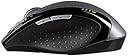
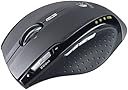
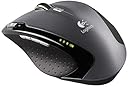
The Logitech VX Revolution is a sleek, cordless laser mouse engineered for professionals on the move. Featuring a 2.4 GHz wireless connection with a 30-foot range, it offers hyper-fast MicroGear scrolling and six programmable buttons for enhanced productivity. Its ergonomic design ensures comfort during extended use, while a single AA battery delivers up to 12 weeks of power. Compatible across Windows, macOS, and Linux, this mouse blends precision, convenience, and style for the modern manager.
| ASIN | B000HCRVUS |
| Additional Features | Wireless |
| Antenna Location | Laptop |
| Are Batteries Included | No |
| Are Batteries Required | No |
| Battery Average Life | 6 months |
| Best Sellers Rank | #7,103 in Computer Mice |
| Brand | Logitech |
| Button Quantity | 6 |
| Color | Black |
| Compatible Devices | Personal Computer |
| Connectivity Technology | Wireless |
| Customer Reviews | 4.3 out of 5 stars 478 Reviews |
| Enclosure Material | Plastic |
| Global Trade Identification Number | 00097855039354 |
| Hand Orientation | Ambidextrous |
| Hardware Platform | Laptop |
| Manufacturer | Logitech |
| Mfr Part Number | 931690-0403 |
| Model Name | VX Revolution |
| Model Number | 931690-0403 |
| Movement Detection | Laser |
| Movement Detection Technology | Laser |
| Number of Batteries | 1 AA batteries required. |
| Number of Buttons | 6 |
| Operating System | Windows, macOS, Linux |
| Power Source | Battery Powered |
| Range | 30.0 feet |
| Special Feature | Wireless |
| Style Name | Modern |
| UPC | 683728087395 097855039354 |
| Unit Count | 1.0 Count |
B**E
Great Notebook Mouse
It just works! It's a light, stylish, plug and play notebook mouse that I can take with me anywhere. The usb receiver is tiny and stows nicely inside the mouse for travel. I found the accuracy to be excellent. It should be more than adequate for most computer uses. I don't think you could call it a "gaming mouse" since the dpi is fixed and the response time is slower than a wired gaming mouse. However, I mostly play WOW. So, I don't need anything that indulgent anyway. VX vs MX: Battery - Like the VX, the MX also has a nice, compact usb receiver. However, it uses a built in battery, which requires a set charging station. When the battery finally goes out, replacement may be an issue. Plus, that charging station is something else to carry around with you when you travel (ACK, wires!). Not a huge issue if you're not planning any LAN parties, or you just have a desktop that never leaves your room, but it's still lost deskspace. The tradeoff is that the MX has a MUCH longer battery life. Never tried it myself, but I've heard that the MX can literally go for months without a recharge depending on usage. The VX, by contrast, uses regular batteries that you can buy anywhere. I use rechargeable batteries in mine. Although, I honestly don't remember the last time I had to recharge them. I've heard people complain that they're worried it will go out while gaming, but honestly, there's a bright battery indicator light that comes on WELL before that. So, I don't care if you're too "hardcore" to look down while gaming, it's a non issue. In any case, the battery life on the VX is amazing. It really doesn't use very much power. A nice little bonus is an on/off switch built into the mouse. I've noticed other mouses (Microsoft) require you to pull the receiver out of the usb slot and stick it in the mouse to turn the unit off. I've always had problems with this as it will eventually wear out the usb connection. With the VX, I can leave the receiver plugged in and turn it off with the power button on the mouse. If I forget, the mouse will go into sleep mode anyway when it doesn't sense any motion. This isn't exactly a new feature. However, with the VX, you don't have that infuriating delay between shaking the mouse and the cursor responding when it's coming out of sleep mode. It's instant on, no lag. (Note: This can be deceptive, as I've had friends tell me their el cheapo mouse has the same feature for a lot less money. However, in many cases, it turns out there's no delay because their mouse never turns off in the first place. It's just always on, which saves no power whatsoever.) Size - The MX is much bigger. If deskspace is an issue for you, don't get the MX. The mouse itself is quite a bit larger than the VX, and you still have to put that charging station somewhere. The tradeoff is that the MX (to me) is much more impressive and stylish than the VX. It just has that WOW factor that screams expensive and completely unnecessary. Plus, those of you with larger hands will appreciate a larger mouse. For me, however, the added size, weight, and charging station makes it far too bulky for everyday use. Hope that helps!
T**I
Best full size, cordless notebook mouse
I've owned one of these for well over 2 years and bought this 2nd one at my son's request to go with a new laptop computer he got for school. Small enough to fit in a laptop messenger bag, but sized more like a desktop mouse to fit your hand comfortably. I also own the larger MX revolution for a desktop machine and prefer the VX over it. Great feel & if you want to tune its operation to specific software features (It's user selectable/context sensitive in that regard), it's very easy to set up with the included software. Very handy web navigation & office application productivity controls all of which are well positioned beneath different fingers. Battery life is outstanding compared to other cordless mice I've owned. It takes a single AA cell and it usually averages about 8 weeks on a premium brand alkaline, although it varies a bit with use & battery shelf age. I don't think I've replaced a battery in much less than 5-6 weeks and the longest one has gone has been about 10-12 weeks. It is a right handed mouse with a clearly defined thumb rest and control set, so lefties be aware - My son is a lefty, but likes a right handed mouse, so no issue for him. Only thing that could be improved is if Logitech would supply it with a tiny USB transceiver like the VX Nano uses and if the scroll wheel mode select were more accessible. If you don't switch wheel modes often, then that "complaint" is irrelevant. The transceiver complaint is common to most cordless mice, but it'd be nice if you could use the smaller Nano transceiver (they're not compatible though). I'd definitely pony up $10.00 for a replacement if they did to avoid the risk of damaging my laptop's USB ports cramming it in the case with the transceiver hanging out (been there, done that once already).
N**U
Great features, works on many surfaces
I've owned this mouse for about a month now and it has been a great replacement for my previous Logitech wireless mouse. Some things that I like about this mouse: - The USB receiver stores inside the mouse itself. - Power turns on/off automatically depending on if your USB receiver is out/in the mouse. - When you first pop the USB receiver out, a battery indicator shows you how much battery is left. - The laser seems to work on almost all surfaces that my previous wireless laser mouse was not able to function on. (It didn't work on a glass top table in a hotel though.) - The forward/back buttons are very handy when web browsing. - Ergonomics are great as noted elsewhere but the forward/back button took a little getting used to. One thing that the verdict is still out on: - The infinity (or "non-click") mode of the scroll wheel takes some getting used to, but it's great for moving up and down those long pages on web forums, lengthy email chains and big spreadsheets. Sometimes, it is so sensitive that a little movement can cause a page to scroll. This can be annoying. Fortunately, there is a toggle switch on the mouse itself so you can turn that feature off. Mine remains on for now... To summarize, this mouse is awesome and I love it. The reason why it is 4 star is because the price is a little high and I don't know that a lot of features are absolutely necessary for most users. Their "nice to haves" but you can live without them. In fact, when I'm at home and my laptop is docked and I use the el cheapo IBM corded laser mouse, I don't have a problem with it. That said, if I could afford two, then I would replace the corded IBM mouse. :) As a final note, I travel a lot for work and this mouse has been in my laptop bag (btw, I use a Timbuk2 Commute, highly recommended) and it has been a great addition to my travel kit arsenal.
T**F
Not using it as a notebook mouse...
I generally only use Microsoft mice. I have bought and gotten rid of Logitech's quirky mice for years and always ended up with a plain vanilla Microsoft Intellimouse something...(Intellimouse 1.0, Intellimouse w/ Scroll, Intellimouse Optical, Intellimouse Optical Blue, Intellimouse Basic)..it is tough to beat simplicity. But man, an exec at my company showed me this mouse's smaller brother, the VX nano, and I loved the wheel and weight - so I bought one and love it, but I use that with my notebook. For my desktop I started to want something similar but larger, so I had a choice between the MX Revo and the VX Revo, the MX is actually a desktop mouse where the VX is marketed as a notebook mouse. I don't understand why Logitech does this as this mouse is actually kind of large for a notebook mouse. So after looking at all the funky double wheels and stuff for the MX, i decided to go with the VX and have not regretted it. The VX is smaller than Logitech's general definition of a desktop mouse, so it isn't a hand rest style mouse. Thats why I love it. I am one of those people that doesn't click very well with my hand fully opened up, i need the bend my index and middle finger to be comfortable clicking. My idiosyncrasies aside, this mouse is a fine piece of engineering. The roller is awesome, I love the weight and momentum of the spin. The weight of the mouse feels like it is dense, which is very nice when compared to todays generally cheapo empty feeling mice. Laser tracking is very nice when compared to Microsoft's optical technology - which is the only thing I can compare it to. Plus I get a ton of battery life out of the single AA that powers it. I use Sanyo Eneloop Rechargeables with this and it works fine. Also, as I am using it as a desktop mouse - it seems to turn itself off when idle for more than a few seconds. I say "seems" because I get no "turn-on" lag when I start using it again but the battery gauge turns on as if I just manually powered it back on.
Y**C
Great Idea - questionable execution
The distinguishing feature of this mouse is the heavy metallic flywheel for scrolling. You can set it to free rotation (without clicks) mode where it will scroll on like a gyroscope flywheel, or the old standard clicky mode. As for the rest, such as shape and materials, are not entirely new from Logitech. Let's try to break it down here: Pros: - The wheel is actually quite useful in free-wheeling mode once you get used to it. It sorta replaces the center-click browsing feature, and I just liked the feel of a freely rotating wheel as it is very satisfying. I adjusted the mouse setting to have one line per mouse scroll. It became more manageable. - The laser tracking feature is a definite plus as it works on all surfaces and is far more reliable than the optical mouse it replaced. The radio signal is pretty reliable too at a fair distance compared to the other cordless mice I tried. - It uses only 1 AA battery, which greatly reduces the weight of the mouse which can be a problem. I used to have a 2AA battery mouse where the balance was horrible and it affects precision and induces fatigue (little things matter over time). The battery also lasts for a long time (I haven't depleted the first one after a month), which is no small feat by Logitech (and that they are famous for). - The size is really not small for a portable mouse, but you can stow the transmitter away and it is probably more comfortable than any other portable mouse I tried. It may just be worth toting around for comfort's sake. - Buttons are nice to the touch and are responsive with minimum effort. (not all mouse are like this, and it's important as it gets to you over prolonged use). However the center click and the zoom slider are not as well implemented. Cons: - The software. It crashed within my first restart after installation, and it was the nastiest crash I had in a while. The system totally froze where I couldn't even shut it down, CPU was running some loop task and fully loaded, and I had to use the hardware button to shut-off the machine. The software adds configurable features to the side buttons, sroolling click, scroll tilt, search button, and the zoom switch. Without it, the scrolling click is just the regular center click, tilting doesn't work, and zoom slider doesn't work. The side buttons becomes forward and back buttons, and the search button actuates a standard windows search (as opposed to possibly a page like google). I left it this way, and I think these remnant features works better than Logi software's parallels (e.g., the center click-scoll is different when you run logitech's software, and it's somehow awkward and not as responsive). - The flywheel is a metallic wheel with rubber surrounds wrapped on it. The rubber actually became loose after a few weeks, and start showing a bit of "lumps". It's not a big deal, except it may have contributed to the stickiness of the wheel since the wheel bay is very tight. - The wheel became sticky after just three weeks. It doesn't scroll very smoothly and will get stuck. You can also feel the bearing becoming rough instead of smooth. I am not sure if it's due to dust or the rubber surrounds getting stuck on the wheel bay, which has a VERY tight space tolerance(I opened it up to clean it, to only minor improvement). I can remove the rubber surrounds, but then the wheel will just look terrible with a deep center groove. - The wheel in its free-mode can be hard to press as a center button. For example, if you want to center click on a link in firefox, sometimes you will end up scrolling first, because the finger would have actuated the wheel rotation much more easily. The center click really isn't as effortless as a regular mouse, even with the standard clicky-scroll turned on. (I wonder if it has anything to do with the tilt feature, in that design sacrifices must be made to accommodate two more side switches). You really have to curl your fingers and work a method where you keep the wheel stable and press it down at a certain angle. Center-clicks have become a mental and physical exercise of sorts. - The zoom sliders really don't slide very easily. There's no feedback and requires much effort. For me, the software supplied text zooming feature really isn't that useful, and I ended up messing up the text size in my system for some reason (now many dialog windows/fields display text that's either too big or too small), even after I uninstalled the software. - While this may not be a problem for most, but this mouse is designed so the user cannot disassemble/open the mouse easily. I attempted to clean the scroll wheel as I imagined there must have been dust trappings, which then resulted in the sticky wheel. There are 5 screws, but they all hide under the pads/feet at the bottom of the mouse. Those feet are not really removable, as they have rubberized layers that separates the adhesives from the sliding surface when you try to peel them off. So once you remove them, you either need to get new ones, or you have to stick it back on with glue, and the feet/pads would have become thinner. Not very user serviceable at all, and it was probably intentional. Yet given the fact that the wheel became sticky after just 3 weeks, and how I did find some dust trapped in the bearing and the VERY TIGHT wheel bay, AND how it actually alleviated the problem, I think it really would help if the mouse had a more user-serviceable design. Now I am stuck with mouse feet that look horrible with crease lines and have been glued back on. I imagine I will probably have to open it up again pretty soon, as the stickiness problem is developing. - The shape: now depending on who you talk to, this can be a plus or minus. I had a biomorphically shaped mouse from logitech before (in fact it looked very much like this one). This is really not that much improved from the previous designs. You can't help feel that logitech wants you to hold the mouse a certain way, and that would be the only way that can be called "comfortable". However, putting your hand on the mouse comfortably doesn't mean you can use it comfortably. I usually ended up holding the mouse differently than the design intended after using it for a while, then I kinda wished it's more flexible as the shape gets in the way if you hold it in any way other than "intended". I actually found the classic logitech teardrop shape to be more pleasant to use. - build quality: It's probably an [...] retentive gripe, but my mouse came a bit scratched up at the shiny bottom and the rubberized sides, and some are pretty deep. You can tell the mouse has been tossed around a little bit. With the kind of money Logitech is asking for, I think they can use better quality control. Mine may have been a singular case, but it can happen to anybody. Overall, this mouse has great features, but some of the buttons are rendered useless if you remove the software, which really shouldn't be running at all if you value your work and want to avoid crashes. The hardware has a few gripes, and the most prominent feature--the flywheel--may become disabled/handicapped with use. It is not very user-serviceable so you can't really clean it up easily either. However, the mouse still works very well otherwise, and redeems itself with pluses such as great button clicks, long battery life, laser tracking, relatively light weight and reliable wireless transmission. [...]
G**E
Does this mouse work for anyone?
4-30-2007 I have been trying to use the VX Revolution on my Mac G4 desktop. It freezes up so much I cannot give it a rating at all. I have a wacom tablet & mouse also connected; I previously used Kensington TurboMouse Pro (not wireless; I have removed its mouseware pref pane). The wacom mouse leaves a lot to be desired - I'm spoiled after the Turbomouse functionality (and simplicity). When the VX works it is great; the setup and functional assignment is not as simple/elegant as Turbomouse, but hey, if it works. Frequently, I'll move the mouse, and the cursor doesn't respond - but the cpu goes into hyperdrive (evidenced by MenuMeters) for several MINUTES. I have the latest LCC software, fully charged battery, don't know what else to check. I'll move it to my laptop, and try it out there, but I really wanted this functionality for my desktop. I haven't seen any other posting describing this problem, and I would love to find a cause (& cure!). As it is, I cannot use it at all on the G4 desktop. I know it is highly acclaimed, and the design is very sleek, & ergonomic - all the more frustrating for me! Best of luck to you. Update: 6/12/2007 This mouse does not work reliably on any of my Macs. It will work alright for a short while, then just stops responding altogether. I see on the Logitech forum there are a lot of unhappy users experiencing trouble, apparently with Logitech software, on several different models of mice/trackballs. One poster in particular complains of ongoing problems and indifference from customer service. He recommends third party mouse driver software called Steermouse. I tried it, but it did not make a difference for me - the VX is still unresponsive. I should note that I do use a Logitech cordless optical trackman. The trackball is kind of imprecise, but the software does work.
P**E
Good hardware, bad design and drivers
While I've been a devoted Logitech mouse user for seven years, this mouse leaves a lot to be desired. I was looking for a high-quality mouse that would work nicely with my XP notebook and SeaMonkey. I was quite disappointed. Physically, the mouse is nicely made, but it's awfully big for a "notebook" mouse. It's only a half-inch smaller than my desktop mouse. The switches are nicely clicky, and the scroll wheel is very solid and spins quite well in both modes. The only mechanically downside is the zoom slider, which has a very stiff spring making it hard to use. The form factor is also pretty good with two caveats: first, the search button behind the wheel is a stretch to reach. The only way I found to click it without lifting my hand off of the mouse was to lift the tip of my middle finger up and push the button with the base of my finger. That's an awkward move. Also, the thumb buttons are too high to be easily reached. The old design, with the thumb button near the desktop, was much better. The killer with this mouse, however, is the drivers. They are buggy, half-featured, and generally unusable. Both SetPoint v3.1 on the CD and the latest v4.0 from the Logitech website required third-party extensions to the configuration files to enable the use of a thumb button as the middle button. Also, many of the features, such as zoom, web forward, and web back, require the driver to recognize the current application. SetPoint is very erratic to doing this. Sometimes it works, sometimes it doesn't, and no amount of restarting the SetPoint software seems to make any difference. The search functionality, while nice in principle, is also crippled. Most of the search engine/web browser combinations simply don't work. Yahoo! Live Words seems to work with all browsers, and Microsoft IE seems to work with all search engines. However, use a non-Microsoft browser with any search engine other than Yahoo! Live Words, and you're dead in the water. After fooling around with this for four days trying to get the drivers to behave, I returned it. It's probably fine if you want to use it exactly as configured by default with IE and Logitech's preferred search engine, Yahoo!, but anyone who needs a functioning middle button and prefers Google/Firefox/SeaMonkey is simply out of luck.
M**Y
Top 10 best computer add-on goodie!
My first cordless mouse was a Logitech, then switched to the various wireless MS meeses, and then settled in on the latest greatest. The VX Revo' from Logitech is awe-some-ful. All the other people having any a problem with it could have solved 99 percent of them by using a different USB port. It runs great on Vista and XP. Had issues with IE7 and scrolling slowly, that's it. Runs from anywhere in a room, even on a couch. MS mouse varieties had trouble getting away from the table. The person that said it only runs on a white table must have been looking at my MS mice. I still use my MS mice, and they run fine. A Volkswagen will get you somewhere too. The VX is the only mouse I know of that gives programmable buttons for play/pause, multi-volume controls, zooming, next/back/forward/previous, controls for movies and music, and starting various programs that you may use the most. The scroll wheel is the bomb. One flick and you can fly to the bottom of a hundred pages, or flip it over and switch to ratchet scroll. The USB chip hides in the body of the mouse when not in use. The software will notify you when batteries are at a critical level, and one AA battery goes fooreeeveer. The laser pickup beats MS mice hands down. I put it on a glass table top and it tracked perfect. I just now put it down on the carpet and it ran perfect. Haven't tried Jello. Great gaming mouse also, and again far lighter and trackable than my MS tank meeses. If your computer is running clean and free of trouble I would guarantee this little guy to work better than almost any other computer peripheral you've owned. I own three of these mice, and run them on XP and Vista from everywhere and performs. It is in my top ten of items I recommend and have owned on computer.
る**ん
うーん、良品ではないね。
中古良品とありましたが、結構傷や汚れが残っててアルコール清掃しました。 左右クリックボタンは大丈夫でしたが、その他の拡張ボタン類が強く押し込まないと反応しなくて 難ありですね。 よく言えば値段なりといったところ、、予備としては何とか使えるレベルでした。
Trustpilot
1 month ago
2 months ago